
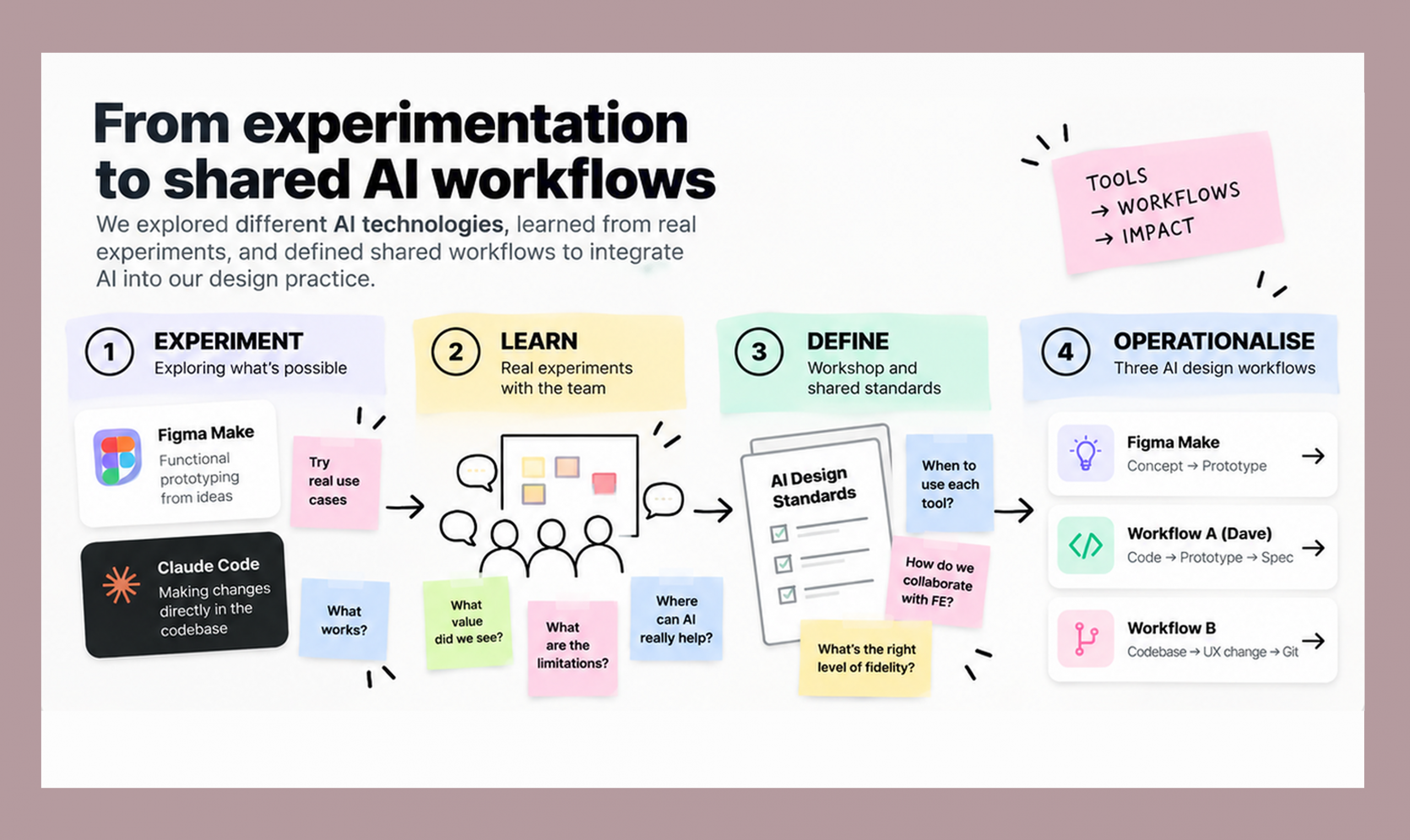
Throughout 2025, we experimented with different AI technologies to understand where they could meaningfully improve the way designers work.
We explored Figma Make for functional prototyping and Claude Code for making changes directly in the product codebase.
At the end of 2025, we ran a team workshop to consolidate our learnings and define a set of shared AI-enabled design workflows — establishing when and how AI should be used across different stages of the design process.
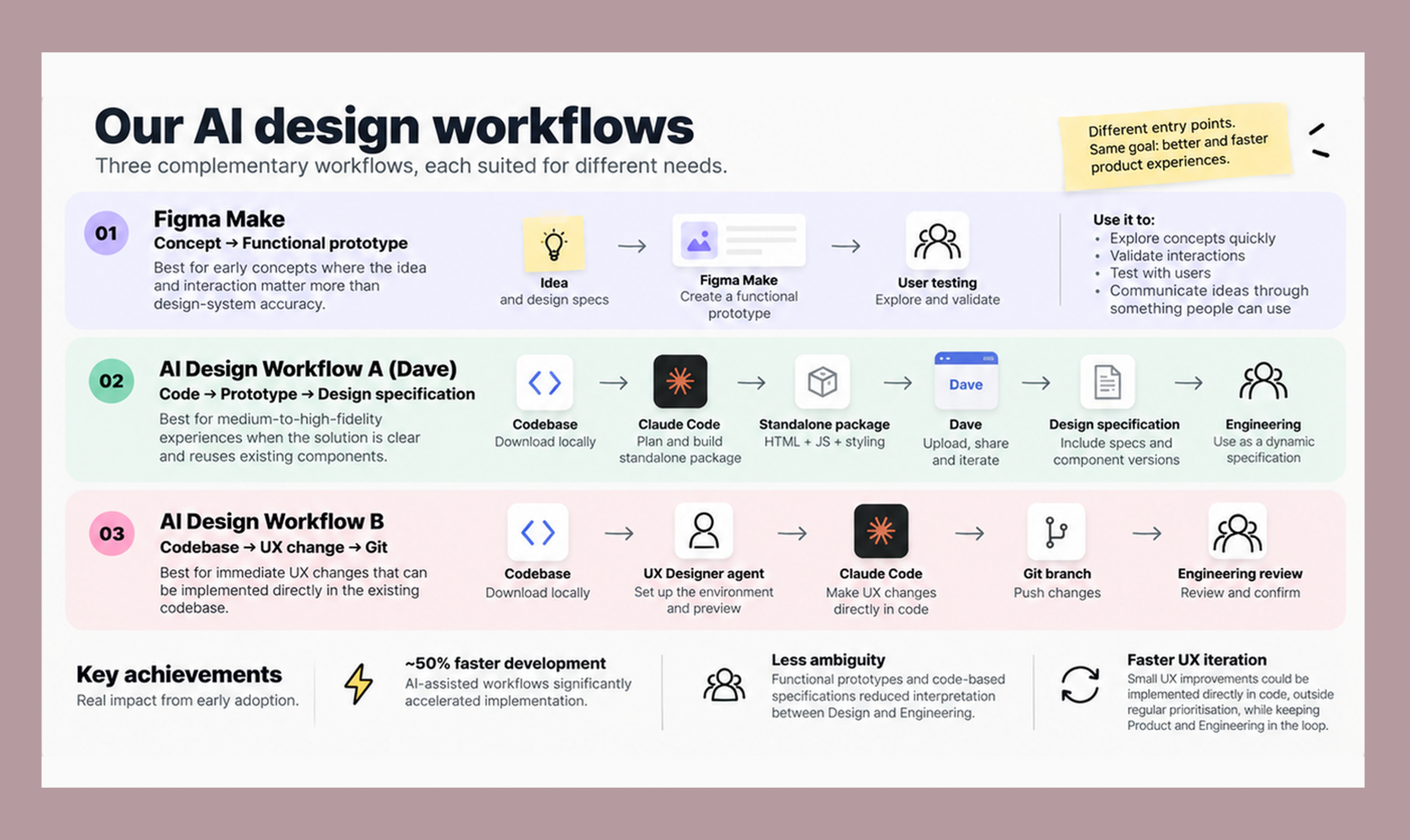
Concept → Functional prototype
Best suited for:
Early concepts where the idea and interaction matter more than design-system accuracy.
We use Figma Make to quickly turn ideas and design specifications into working prototypes that can be explored and tested with users.
Used to:
Principle:
Use AI prototyping when validating the idea matters more than design-system precision.
Code → Prototype → Design specification
Best suited for:
Medium-to-high-fidelity experiences where the designer has a clear idea of the solution and the experience largely reuses existing components.
Workflow
1 — Bring the code into context
Download the relevant codebase locally so Claude Code has the context needed to work with the existing implementation.
2 — Plan before building
Use Plan Mode to analyse the requirement and define the implementation approach.
3 — Build the functionality
Implement the experience with Claude Code as a standalone package, including the required JavaScript and styling.
4 — Move into Dave
Upload the package into our internal AI prototyping environment, Dave.
5 — Collaborate and iterate
Share the prototype across Adverity, collect comments and upload new versions as the concept evolves.
6 — Use the prototype as a dynamic specification
Design specifications can be included alongside the prototype to clarify which components and versions should be used.
The resulting HTML prototype provides Frontend Engineering with a working reference and dynamic specification for implementation.
Current limitations
Codebase → UX change → Git
Best suited for:
Immediate UX changes that can be implemented directly in the existing codebase.
Workflow
1 — Set up the environment
Download the codebase locally and use our UX Designer agent to configure the environment and enable browser-based preview.
2 — Explore the current implementation
Use the local preview to understand the existing experience and identify the required change.
3 — Make the change with Claude Code
Describe the UX change and implement it directly in the local codebase.
4 — Work in a dedicated branch
Develop the changes in a Git branch rather than directly in the main codebase.
5 — Push for Engineering review
Push the branch to Git and ask Engineers to review and confirm the implementation.
We also established specific development processes and naming conventions for AI-assisted UX changes to keep the workflow consistent.
Current limitations
~50% faster development: AI-assisted workflows significantly accelerated implementation in early experiments.
Less ambiguity: Functional prototypes and code-based specifications reduced interpretation between Design and Engineering.
Faster UX iteration: Small UX improvements could be implemented directly in code, outside regular prioritisation, while keeping Product and Engineering in the loop.
Adverity GmbH
2025-2026
VP User Experience